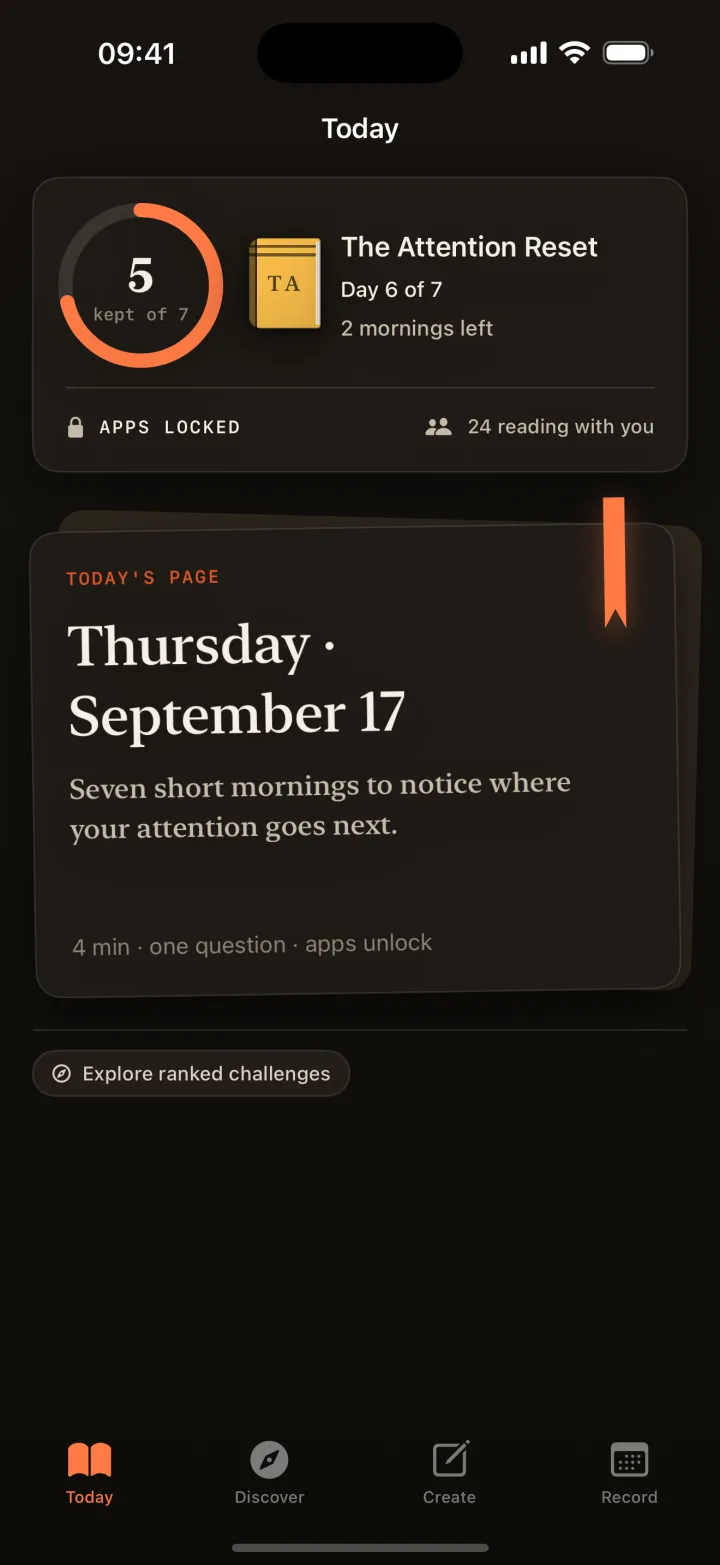
01 · Lock
The morning starts held.
At your challenge’s lock time, iOS Screen Time shields the app categories it can, and only while a challenge is running. Readify never sees which apps you have.
Free on the App Store · Android coming soon
Each morning your apps stay shielded until you read one page and answer one question about it. The server checks the answer, then your day opens. That is the whole trick.
01 / How it works
No timers to babysit, no willpower to summon. You agree to a lock time once, and every morning has the same shape.
01 · Lock
At your challenge’s lock time, iOS Screen Time shields the app categories it can, and only while a challenge is running. Readify never sees which apps you have.
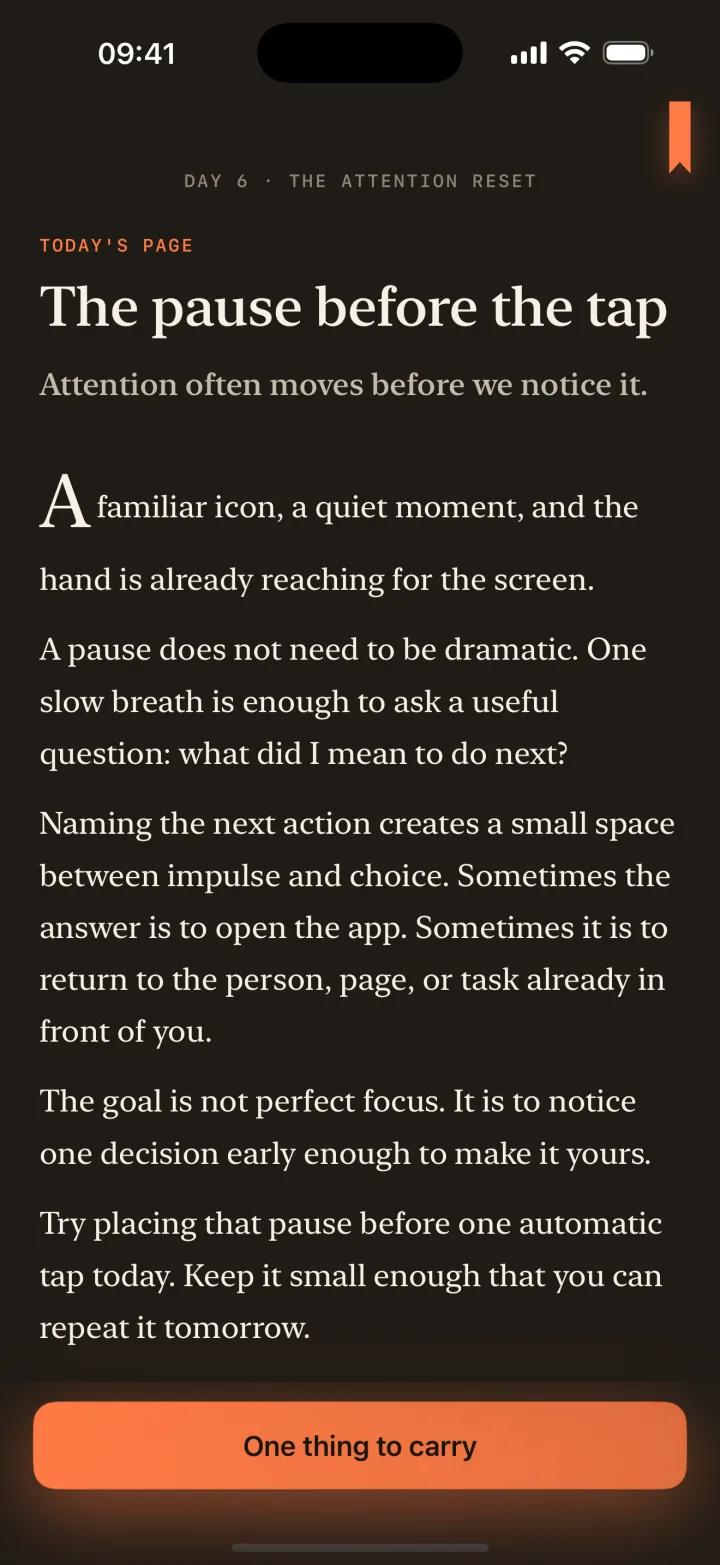
02 · Read
Today’s page from your programme, on a calm surface with nothing else on it. About two minutes.
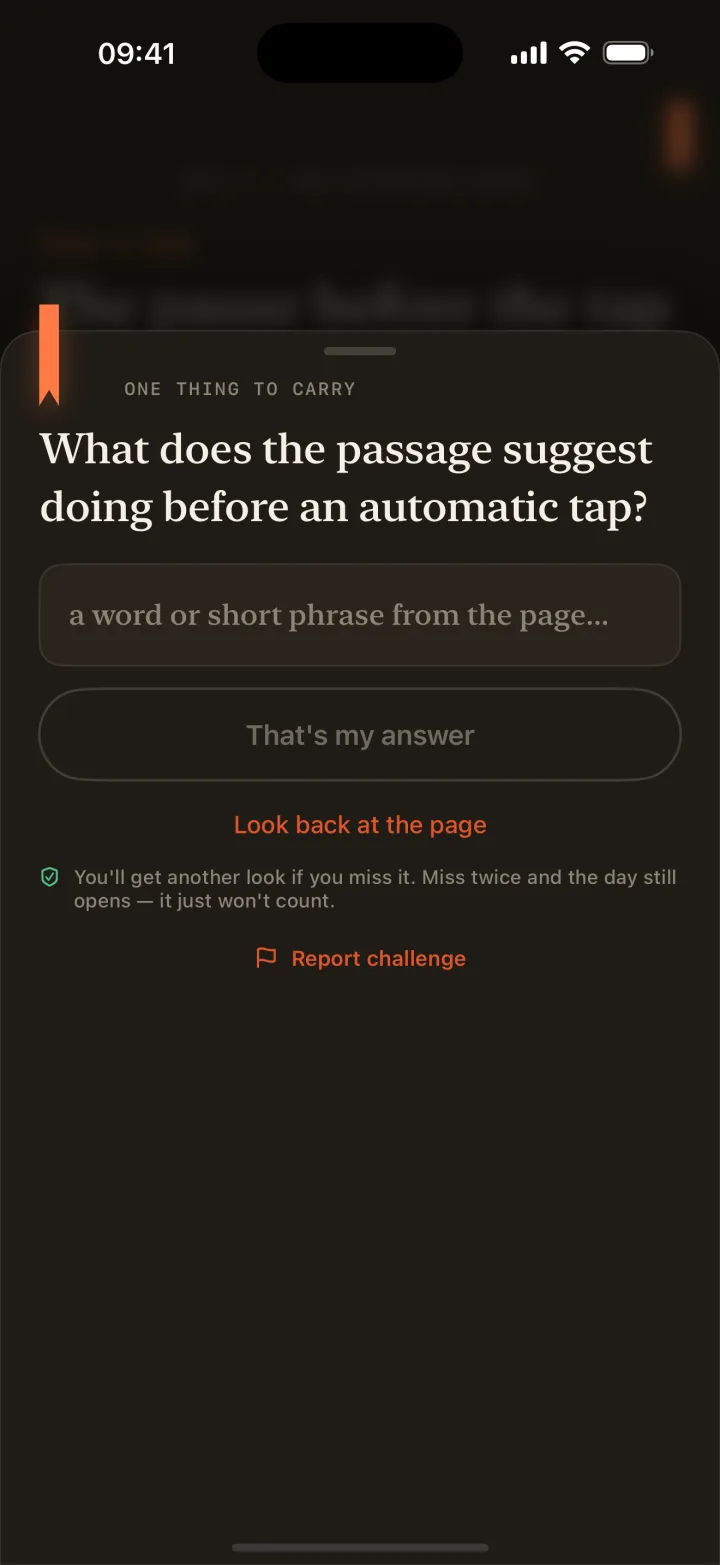
03 · Answer
A single recall check. Skimming doesn’t pass it; actually reading does.
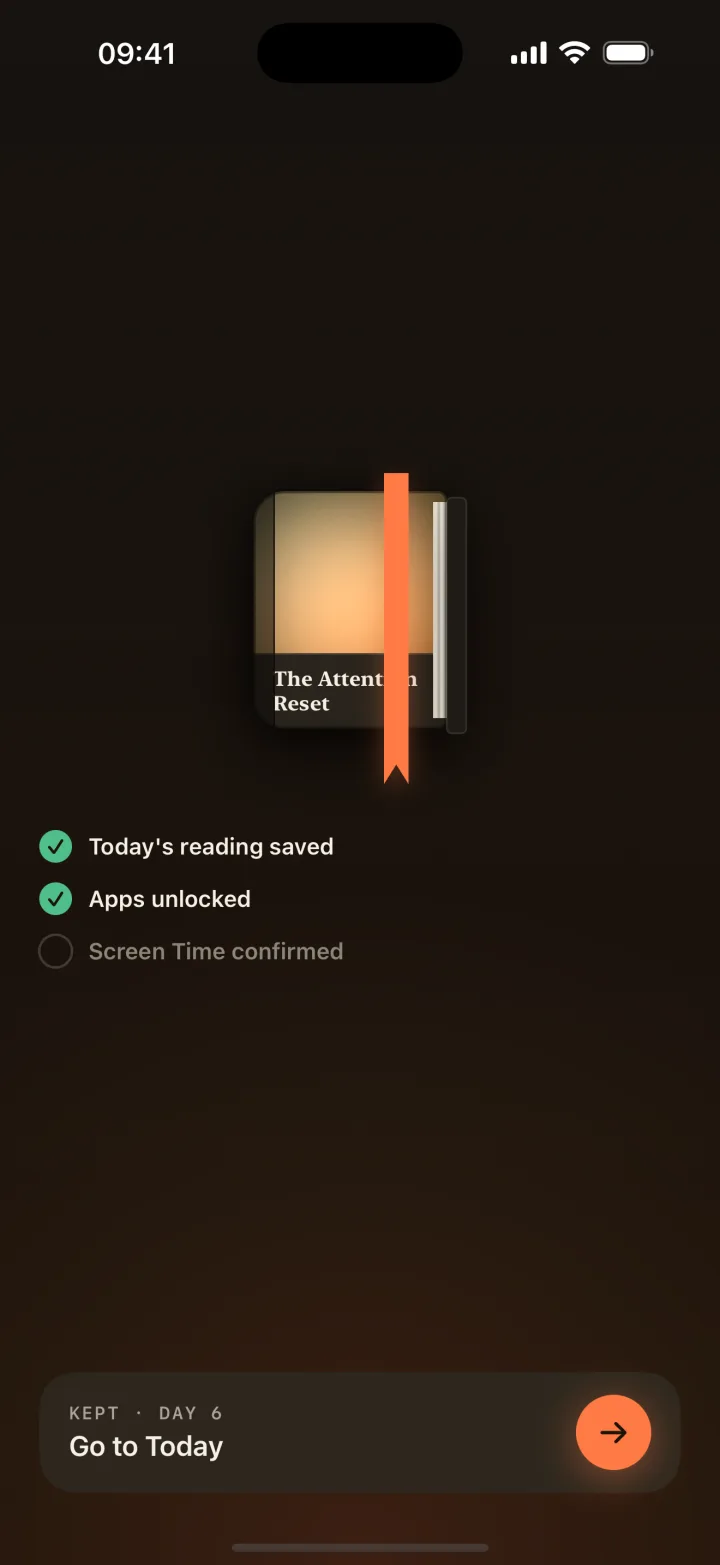
04 · Unlock
Completion is confirmed server-side. You can’t skip it or self-report it. The shield lifts, and your streak, accuracy, and XP move.
02 / What’s new
Version 1.0.9 · September 2026
Cover photos
Your photo becomes the jacket. Skip it, and the title typesets its own.
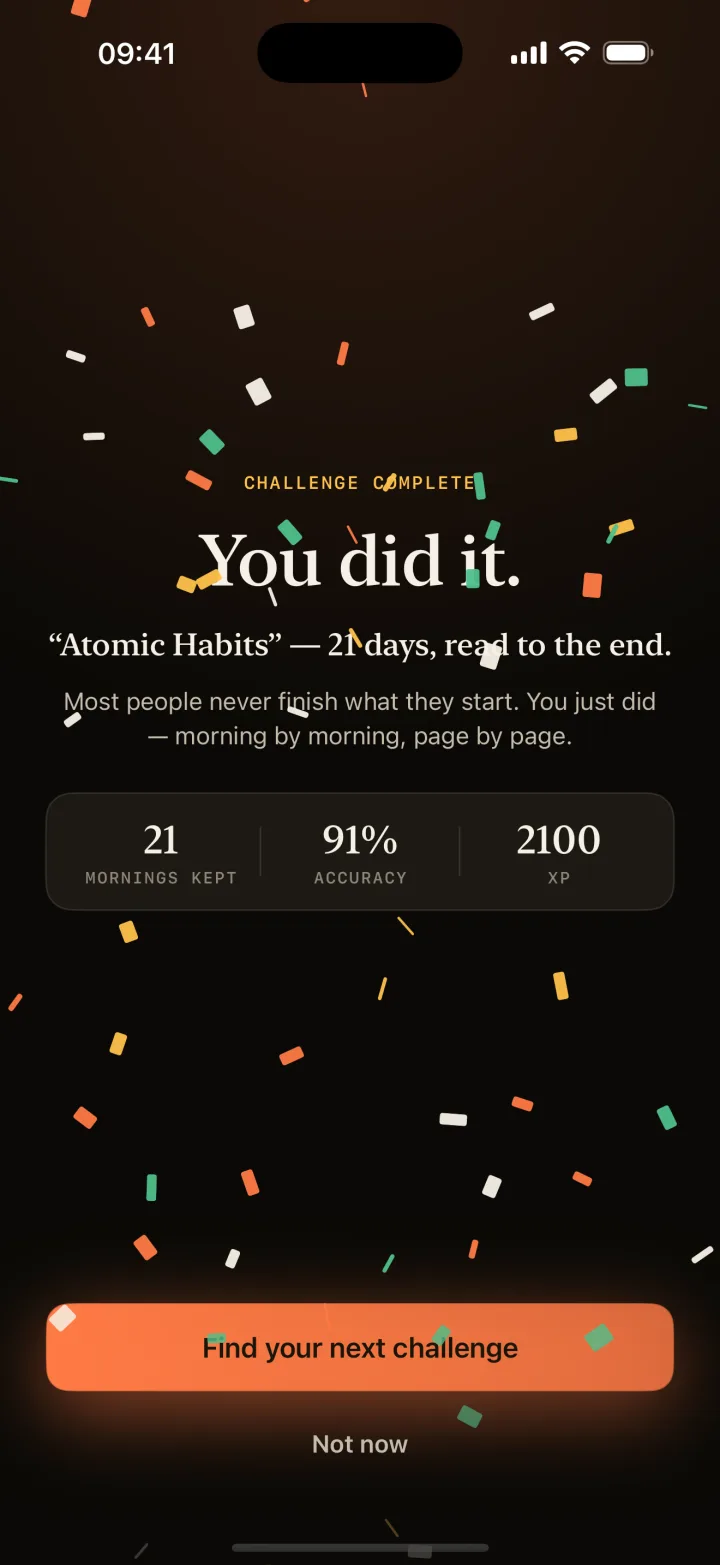
The finale
Confetti, three buzzes, your numbers. Then the next one.
Reminders
When your apps lock, and when your streak needs today.
Discover
Language flags. Details any time. Switching asks first.
Also this summer
03 / Creators
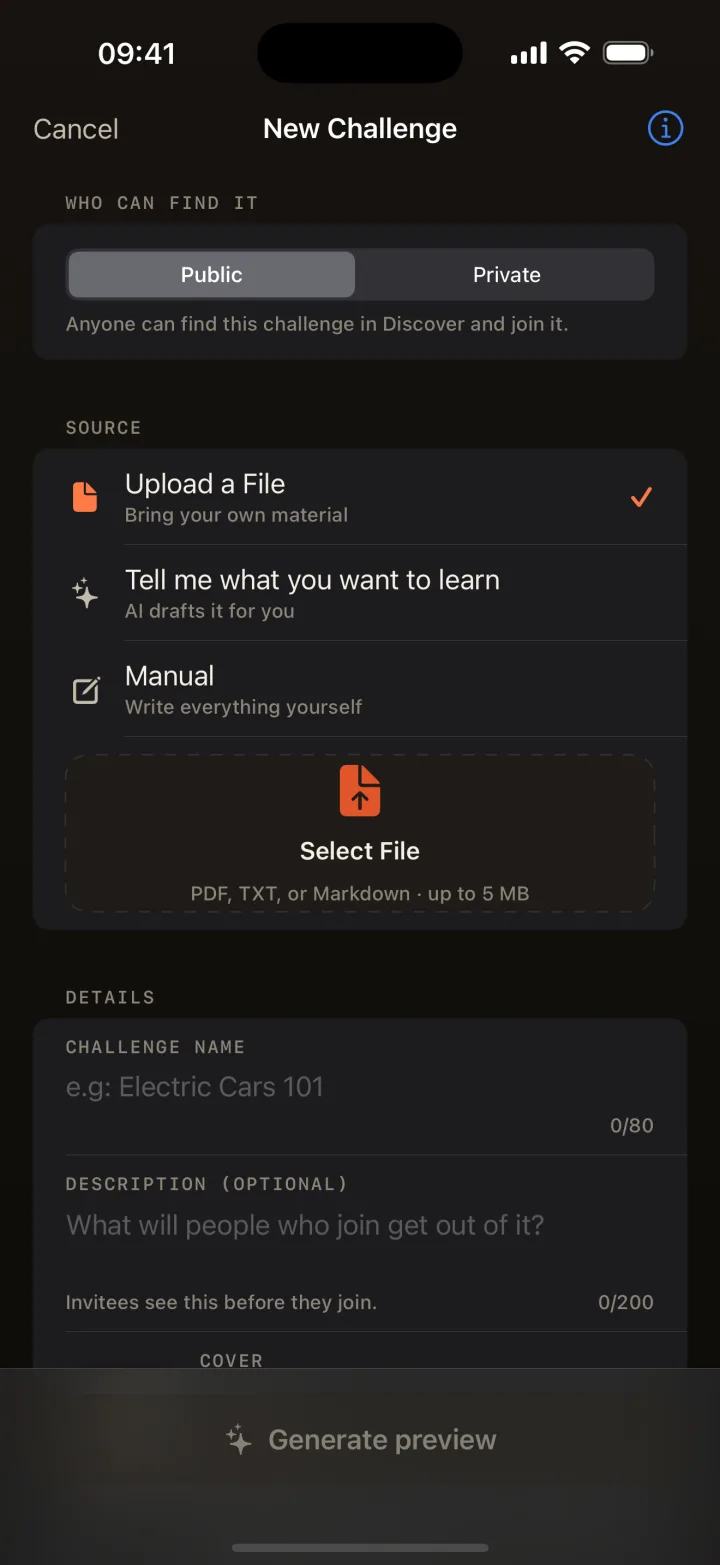
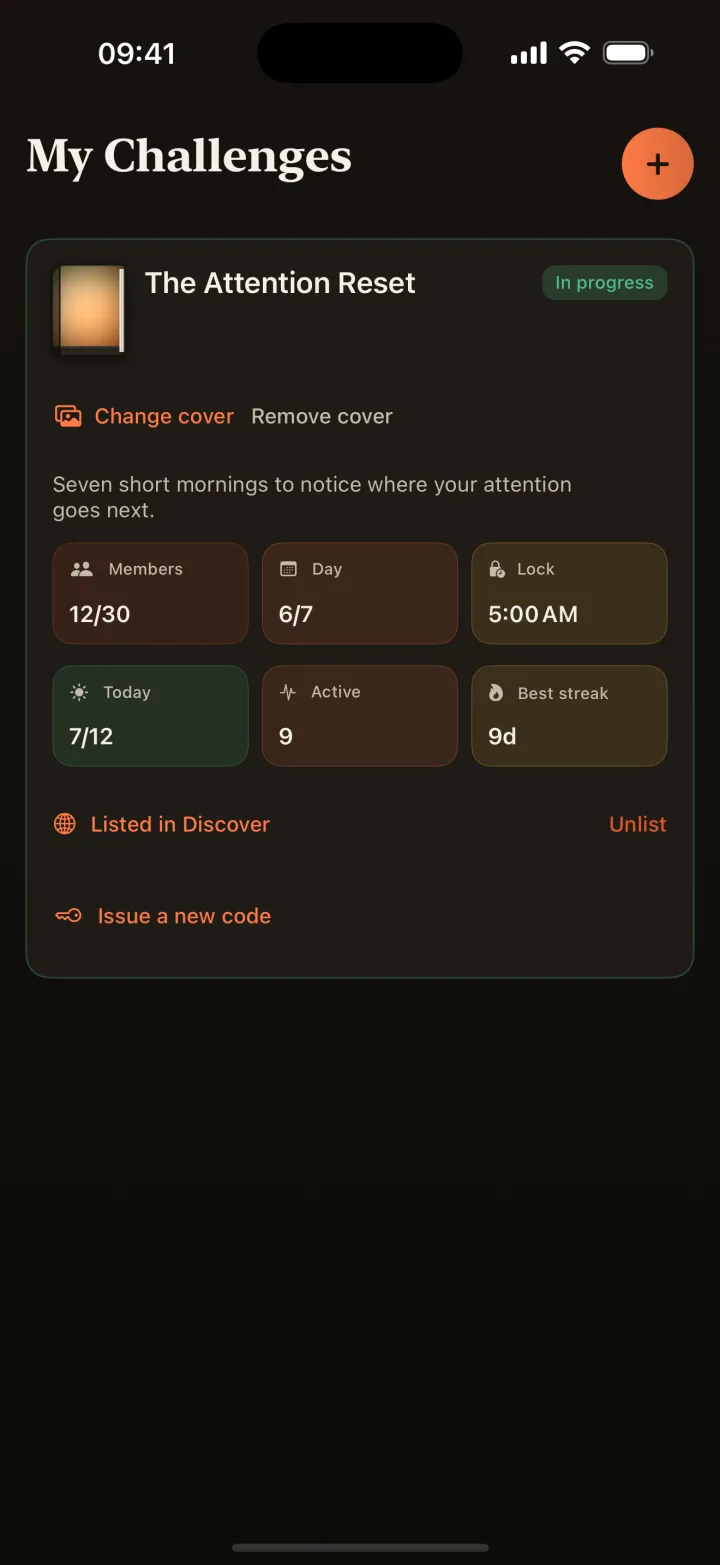
Anyone can build a challenge. A public listing goes through review; a private one is yours the moment you share its code.
Name it, pick the days, and the AI writes each morning in five careful stages, in English or Romanian, keeping the structure you asked for.
Upload a PDF or a text file and every day is drawn from your own material. Lecture notes, a manual, a manuscript.
Write every page and question yourself, with the limits shown as you type, and review each day before it goes out.
Friends, a class, a team: one code, the same mornings, and a leaderboard for streak, first-try accuracy, and XP earned only through confirmed mornings.
04 / The safety net
A commitment device should hold the line without holding your phone hostage. Every rule below is enforced by the server, not by a promise in the app.
No “I promise I read it” button. The lock lifts only after the server has checked your answer.
Miss twice and your apps still open. The day just doesn’t count toward your streak, accuracy, or the leaderboard.
If today’s page can’t be loaded or the lock policy can’t be trusted, Readify unlocks rather than bricking your phone.
App blocking is opt-in and withdrawable in Settings at any time. Readify never receives your installed-app list or your usage history.
The lock time is shown before you join and is never changed silently afterwards.
Read the app-blocking privacy promise →05 / What readers say
Readify is new. These are actual words from actual early readers, not a wall of five-star widgets.
This is absolutely lovely.
It did such a great job generating the challenge.
Finally I can focus on something.
06 / Questions
A reading programme with one page per day, between one and thirty-one days, with a lock time you agree to before joining. You browse public ones in Discover, or join a private one with its six-character code. One active challenge at a time keeps the commitment clear.
No. Readify asks iOS to shield the app categories Apple exposes, and iOS applies it. Readify never receives your installed-app list or your app-usage history; Apple designed the framework so that it can’t. Read the app-blocking privacy promise.
You get another look at the question. Miss twice and mercy kicks in: the server unlocks your apps anyway, so your phone is never held hostage, but the day isn’t counted toward your streak, accuracy, or the leaderboard.
Yes. Version 1 is completely free. No ads, no subscriptions, no in-app purchases, nothing to unlock with money. Only with reading.
Yes, on the ones you create. Pick a photo and it becomes the challenge’s jacket everywhere it appears. Photos are checked before they show. Leave it out and the jacket is typeset from the title instead.
No. The shield covers app categories, not your phone; iOS keeps calls and system essentials reachable. Two wrong answers still unlock everything, and if today’s page can’t be loaded, Readify fails open rather than leaving you stuck. App blocking is opt-in: you can withdraw the Screen Time permission in Settings at any time.
It’s coming to Google Play. Readify is built for iPhone first; accounts and challenges will work across both. Read what’s planned for Android.
English and Romanian, for both the app and the reading programmes creators build.

Free, in English and Romanian. Two minutes a morning, and the doomscroll waits its turn.
Free · no ads · iPhone now · Android coming to Google Play